GLOAM COLLECTIONPLANNED

GLOAM EDITIONROB RUN
 gloamGet in touch
PRIVATE MOD PROVIDER
Private mods. Personal setups. A different kind of after hours.
Configurable tools for ROB RUN and Counter-Strike 2, brought together in one Gloam launcher.
WINDOWS PC · PRODUCT-SPECIFIC ACCESS
THE GLOAM LINEUP
Our first two products are in the works. Explore the setup, then talk to us about availability.
PlannedGLOAM EDITION
Live visual overlays, configurable head-aim tools and the Gloam menu. Your settings in one place.
PlannedEXTERNAL EDITION
Configurable aim assistance, visual overlays and an objective HUD, with a dedicated external setup.
Availability and compatibility are confirmed before access is issued. Planned products are not presented as released.
THE GLOAM EXPERIENCE
One launcher. Everything where it belongs.
Keep your product access, downloads and session activity together. A quieter interface, with your game front and center.
Find your access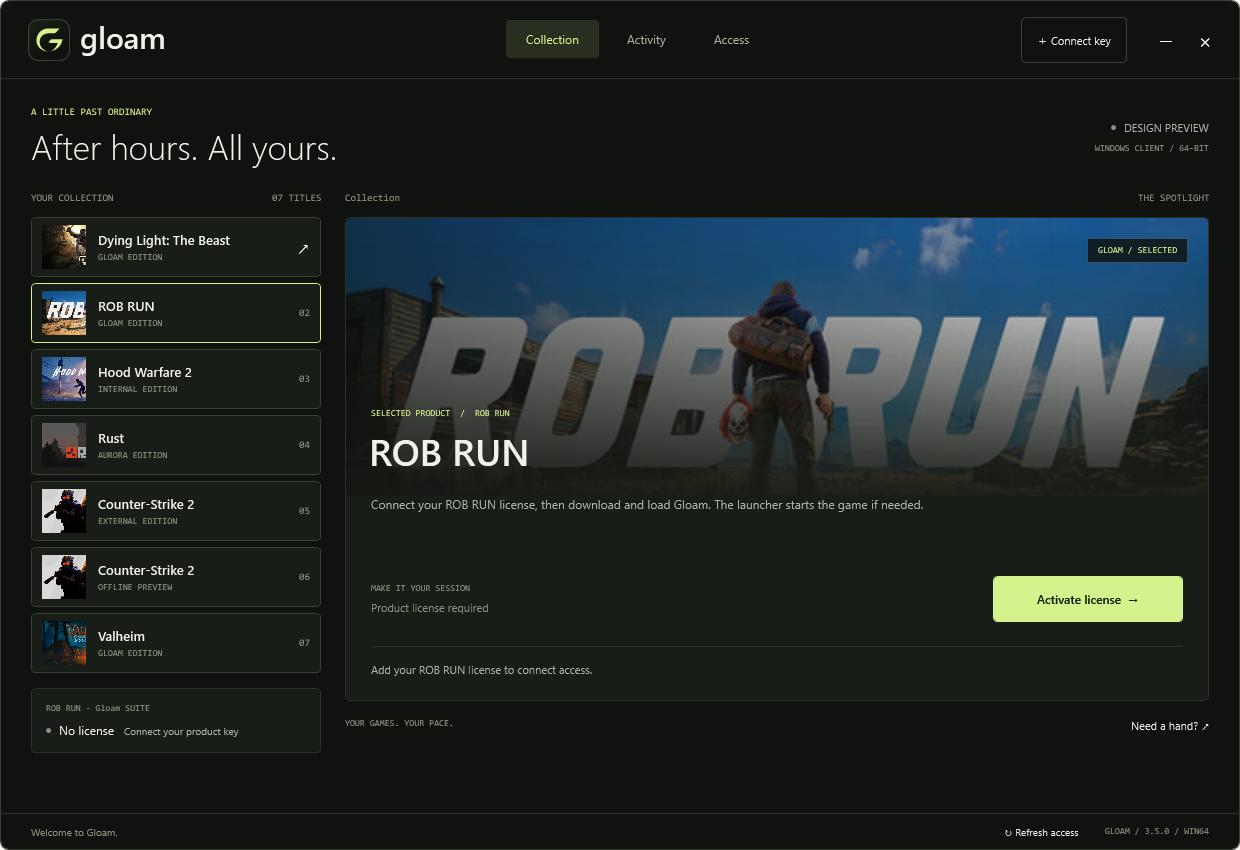
A LITTLE MORE PERSONAL
Choose a product and a duration. Each product key connects one Windows device.
One product. One device. Pricing and availability on request.
Request accessChoose ROB RUN or CS2 External and confirm availability with support.
Enter your product key in the Gloam launcher on your Windows PC.
Use the product's supported settings and keep an eye on release compatibility.
A FEW THINGS TO KNOW
The initial lineup is ROB RUN and Counter-Strike 2 External. Contact support for current availability and supported game builds.
Yes. The planned access durations are 7, 30 and 365 days. Pricing is confirmed directly before a license is issued.
Standard licenses are product-specific and limited to one device. Choose the product you want when requesting access.
Contact support for a device-binding reset. A copied key does not add another device slot.
The Gloam launcher's Access view shows your connected product and license status. Staff manage licenses through the protected workspace.
SEE YOU AFTER HOURS